Point of Sale systems are at the heart of modern hospitality and retail. Speed, accuracy, and a smooth customer experience can determine whether a business thrives or struggles. With Odoo 19, the POS module receives its most significant upgrade to date — introducing presets, smarter workflows, fully integrated QR menus, and improved staff management.
Whether you run a restaurant, café, food truck, retail store, or a multi-concept business combining several models, Odoo 19 delivers a powerful, unified, and intuitive POS experience designed for today’s demanding operations.
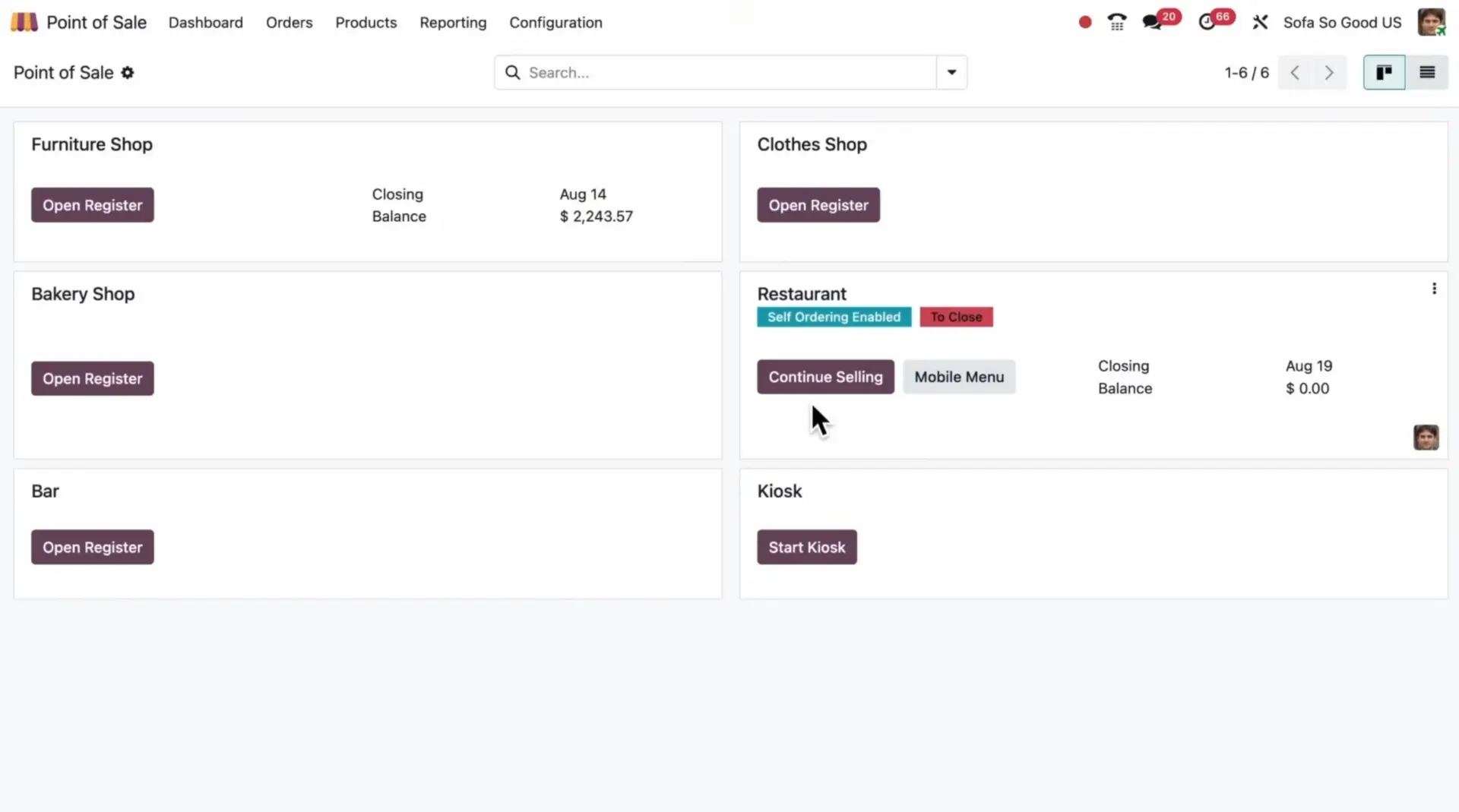
POS in Odoo 19: Faster, Smarter, More Connected
Odoo 19 brings an entire layer of automation and intelligence to Point of Sale. The system now supports streamlined ordering, improved staff workflows, and seamless integration with delivery platforms, inventory, accounting, and customer data.
The goal is simple:
Serve customers faster, reduce training time, eliminate mistakes, and provide a fully omnichannel experience.
Why POS Efficiency Matters More Than Ever
Today’s hospitality and retail businesses face increasing pressure:
- Customers expect speed and accuracy.
- Staff turnover requires systems that are easy to learn.
- Online orders must sync with in-person operations.
- Inventory and kitchen teams need real-time visibility.
Odoo 19 addresses these challenges by unifying table service, online orders, delivery platforms, and inventory in one fully integrated flow.
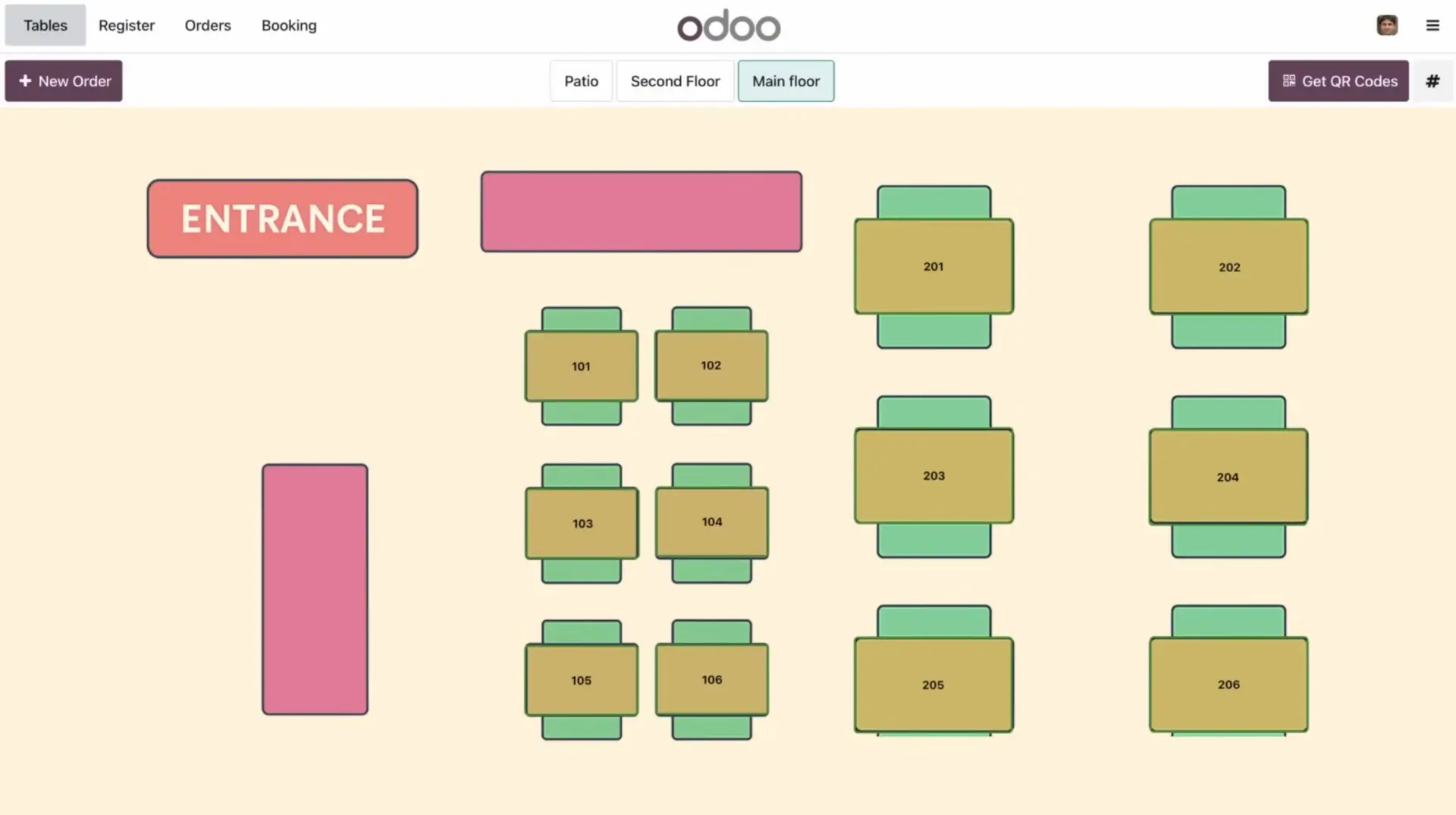
POS Presets: Transforming How Staff Process Orders
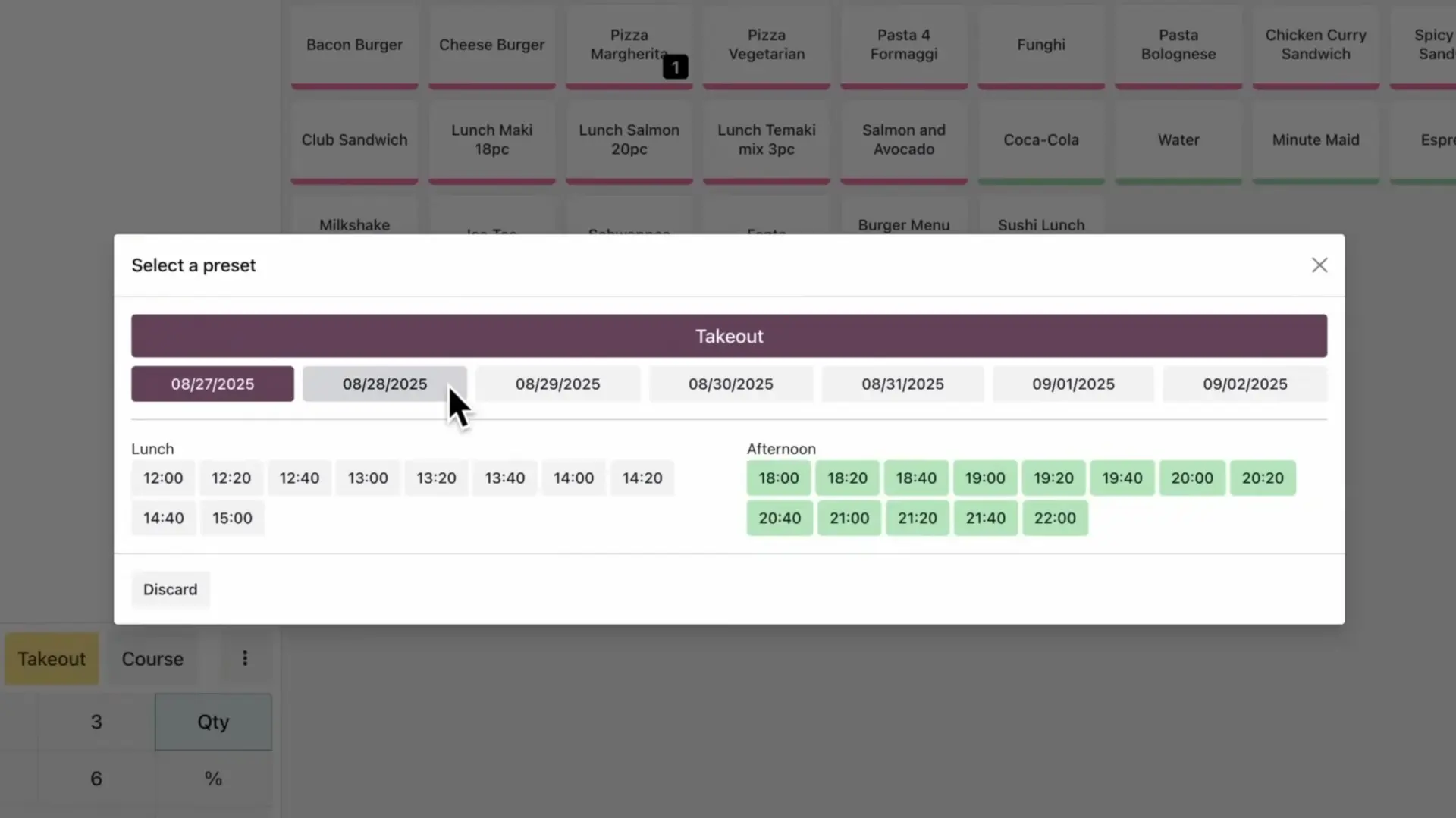
One of the biggest enhancements in Odoo 19 is the introduction of presets — configurable order templates that make POS operations dramatically faster.
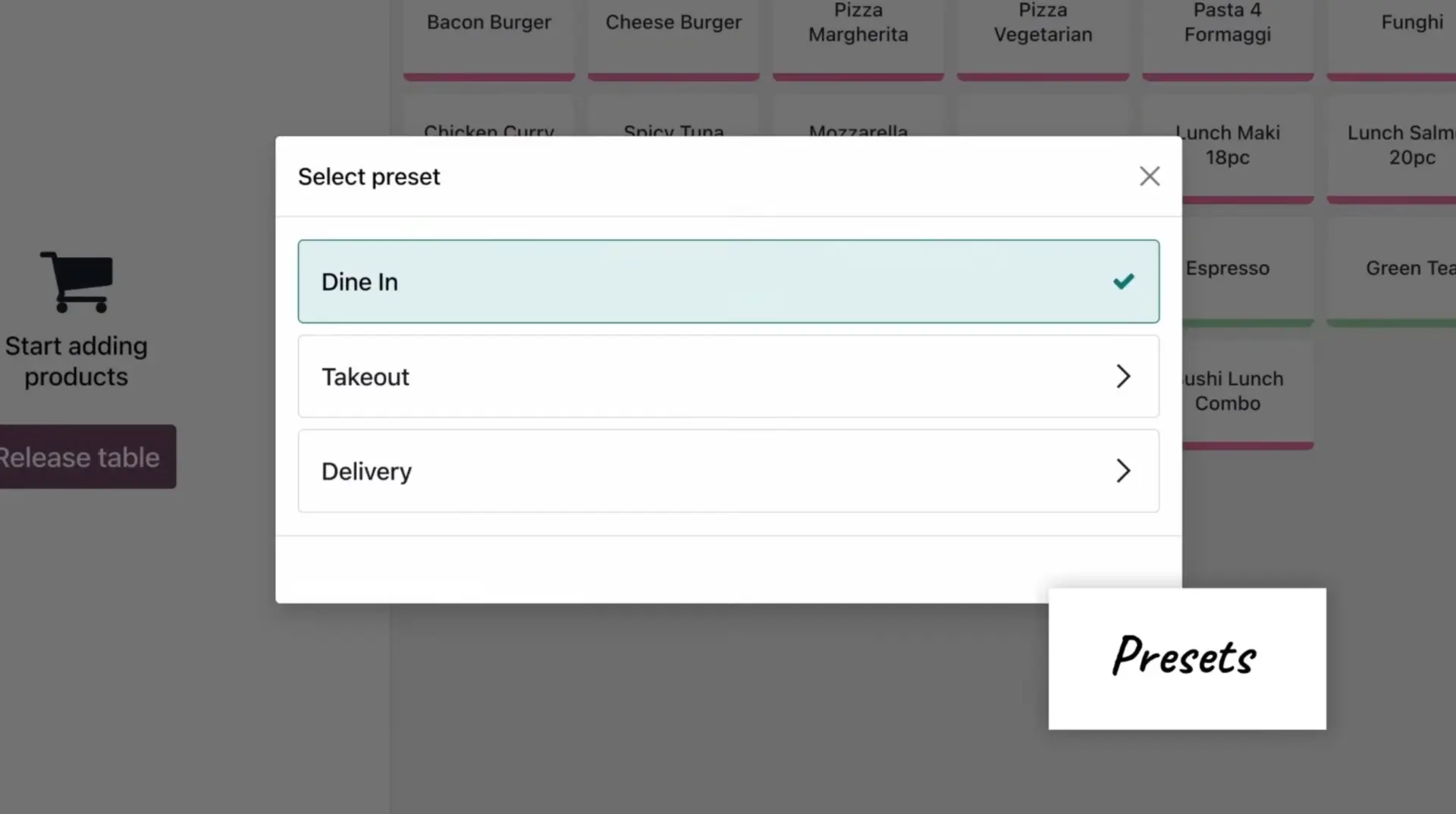
Presets can define:
- Pricelists
- Fiscal positions
- Preparation capacity
- Identification requirements
- Scheduling options
- Delivery parameters
Restaurants can create presets for dine-in, takeout, delivery, or even seasonal menus. Retailers can define presets for express checkout, returns, or special promotions.
Why this matters:
- Staff process orders in seconds.
- Mistakes are reduced.
- Consistent pricing and taxes.
- Perfect for busy hours, phone orders, or pre-orders.
Odoo 19 allows businesses to create unlimited presets for ultimate flexibility.
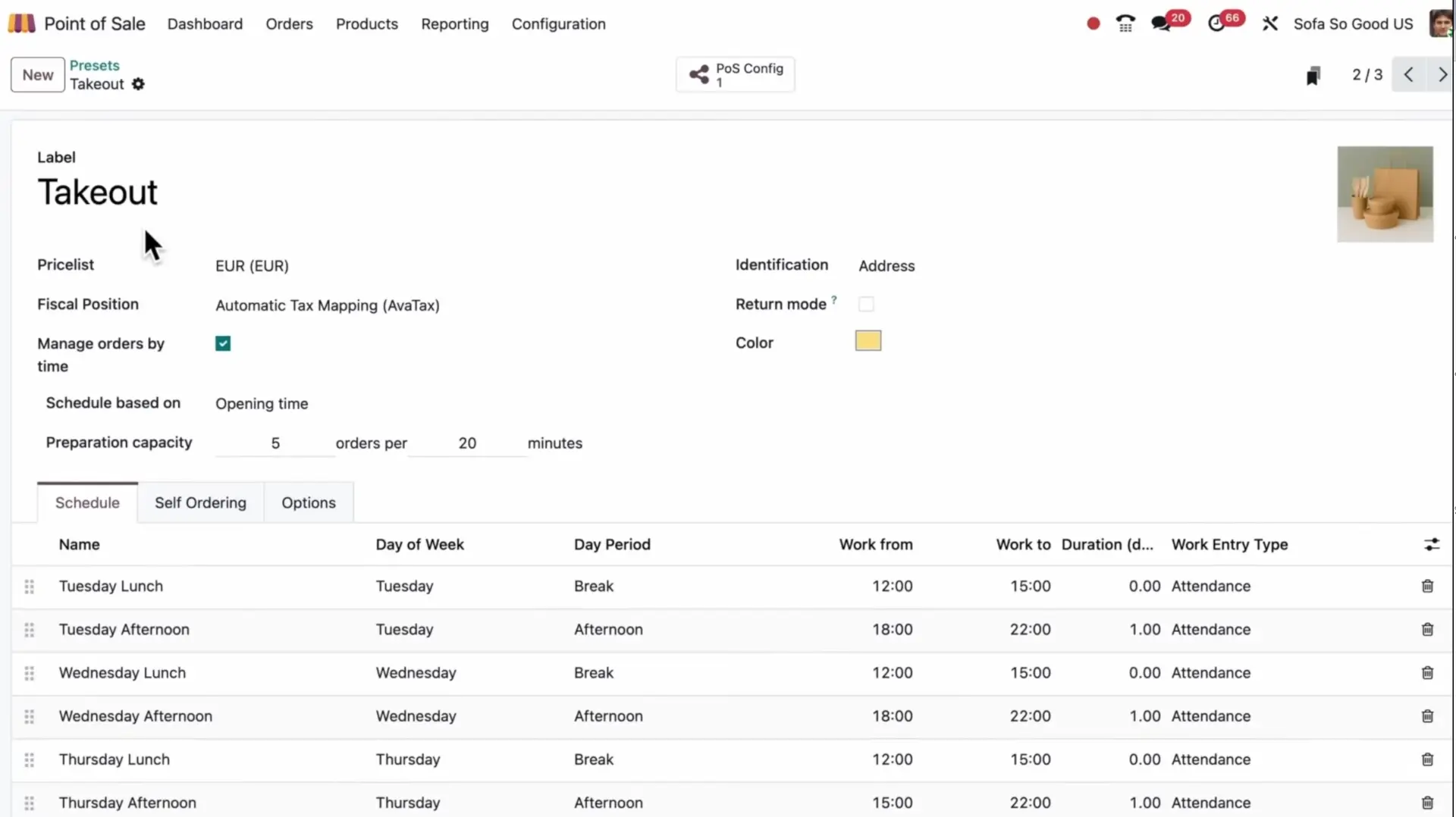
Smarter Table & Floor Management
Restaurants often operate across multiple floors, terraces, or bar areas. Odoo 19 introduces a faster, more intuitive method for seat assignment.
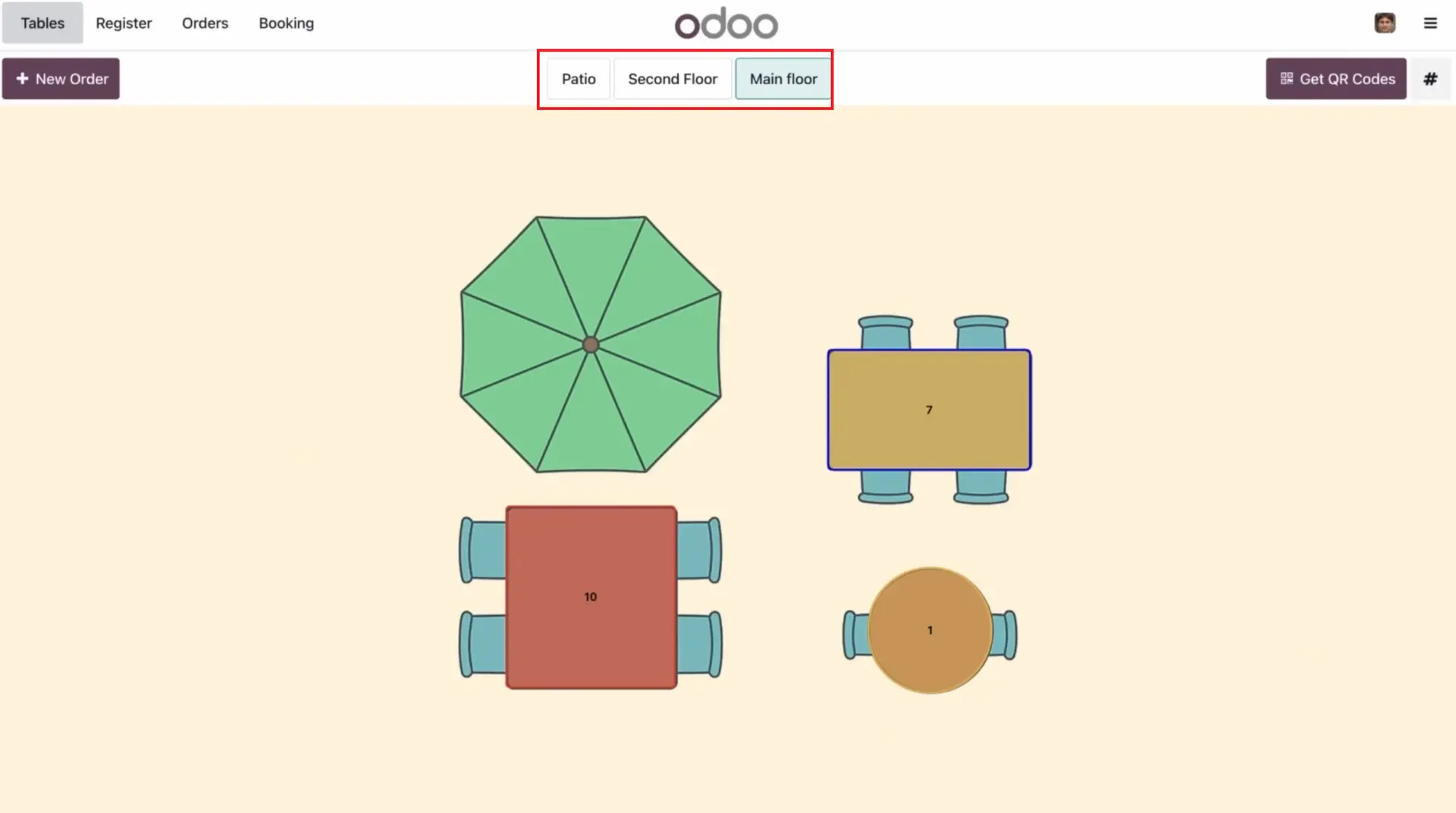
Key improvements:
- Staff can type the table number instead of browsing a floor plan.
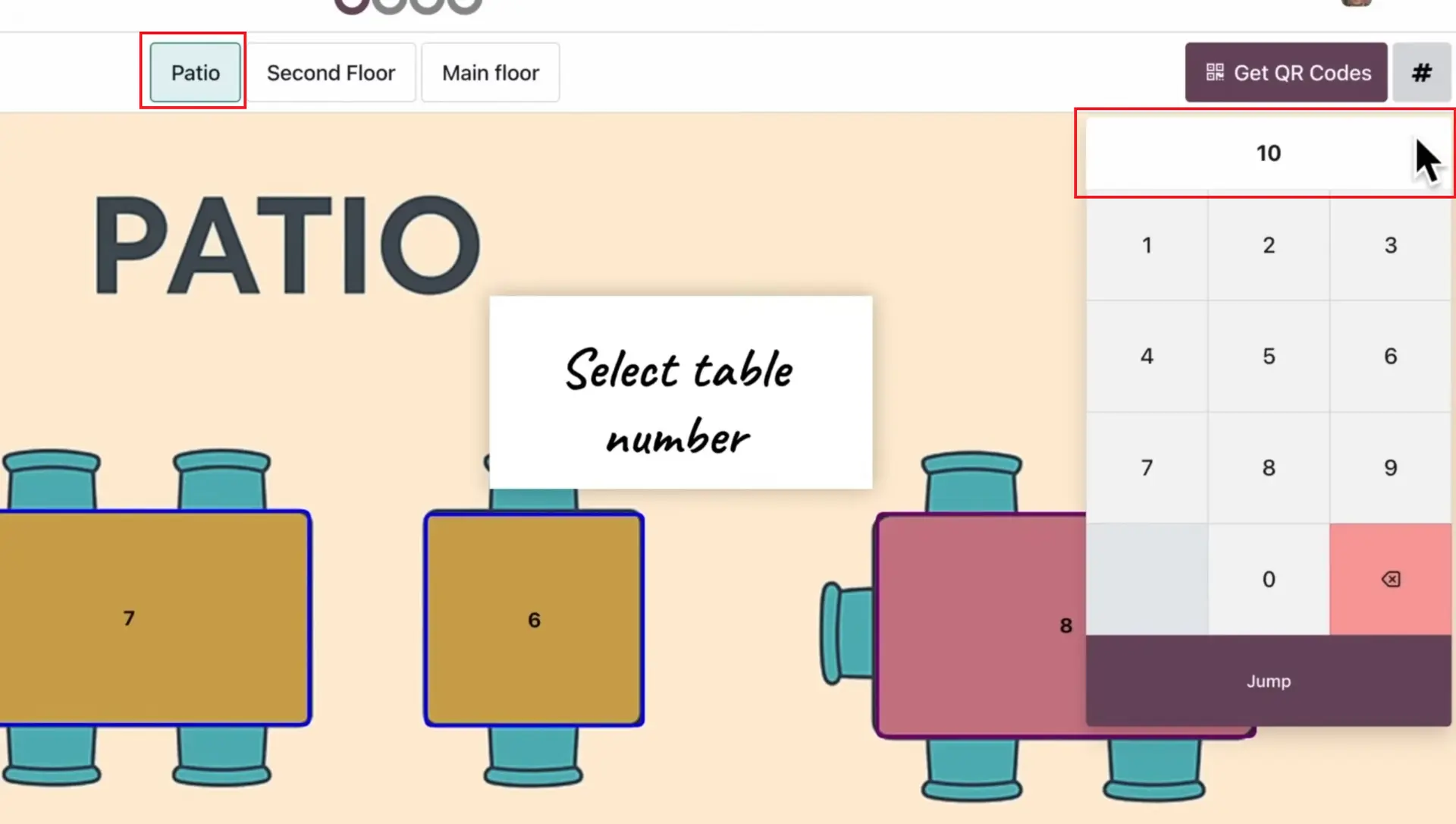
- Faster onboarding for temporary workers.
- “Set Table” and “Set Tab” for bar or counter ordering.
- Minimal access rights for seasonal staff to reduce operational risks.
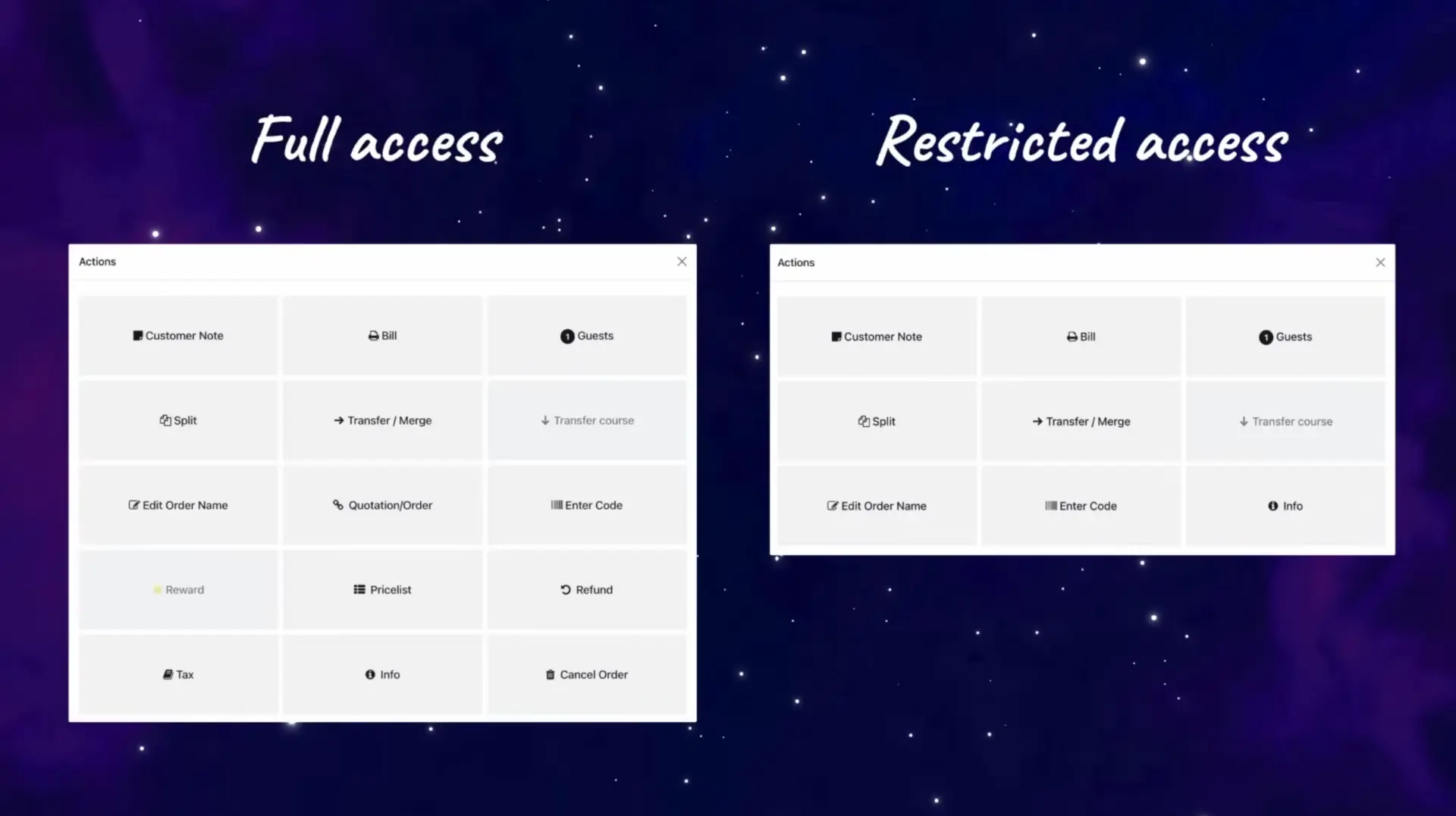
This reduces friction during peak hours and keeps operations flowing smoothly.
QR Menus: A Complete Self-Ordering Experience
One of the standout features of Odoo 19 is its improved QR menu system — designed for modern, contactless service.
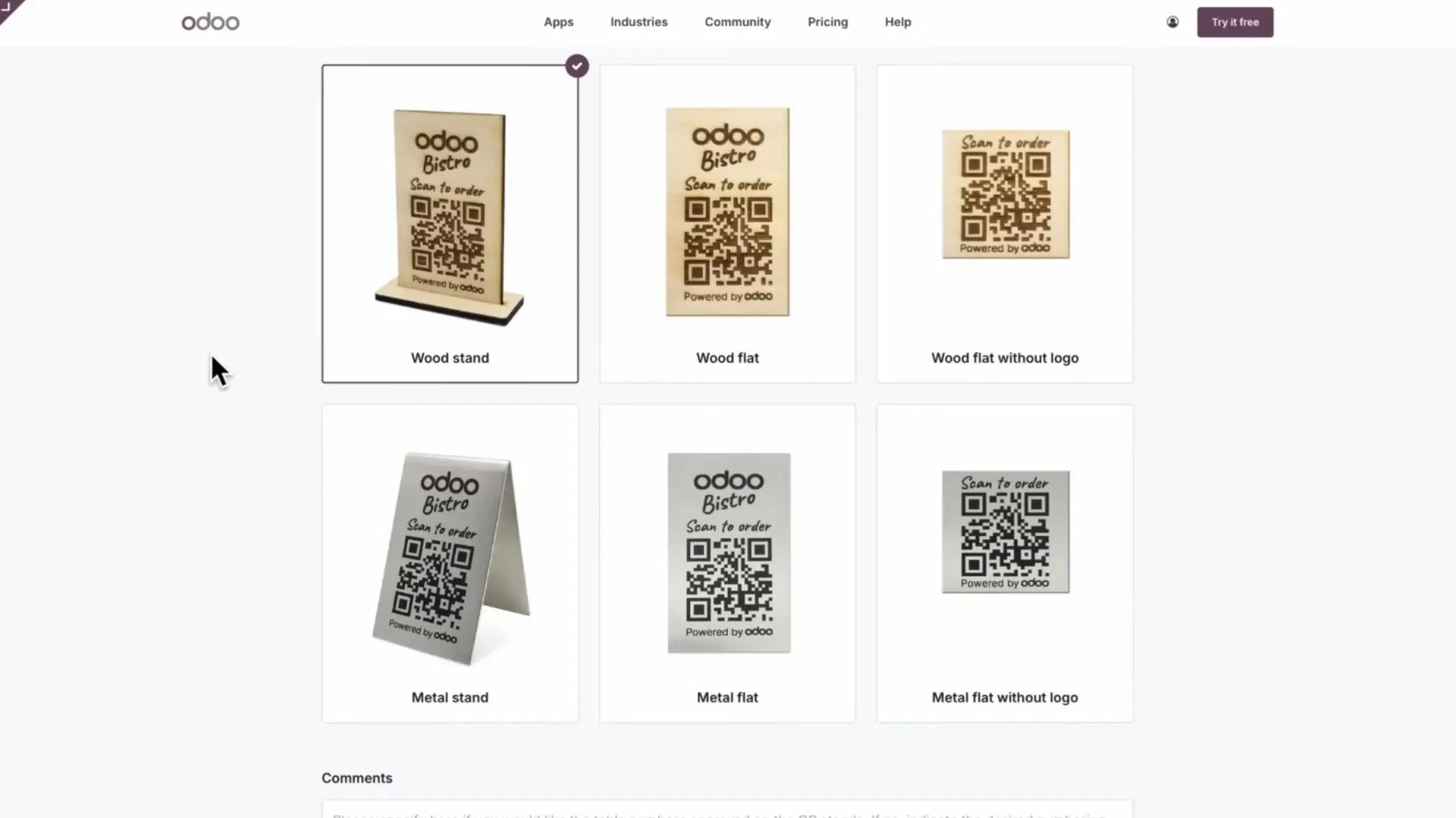
New capabilities:
- Odoo prints and delivers QR codes for free.
- Customers can order:
- Dine-in.
- Takeout.
- Delivery.
- Mobile menu automatically displays:
- Allergen information.
- Images and product details.
- Combo options with selection limits and free items.
Self-ordering benefits:
- Reduces wait time.
- Minimizes order errors.
- Frees staff for higher-value tasks.
- Increases table rotation during busy periods.
Payments can be completed online, and customers can download their receipt instantly.
Kitchen Workflow: Intelligent Course Management
Odoo 19 improves communication between waiters and kitchen teams through a redesigned course-firing workflow.
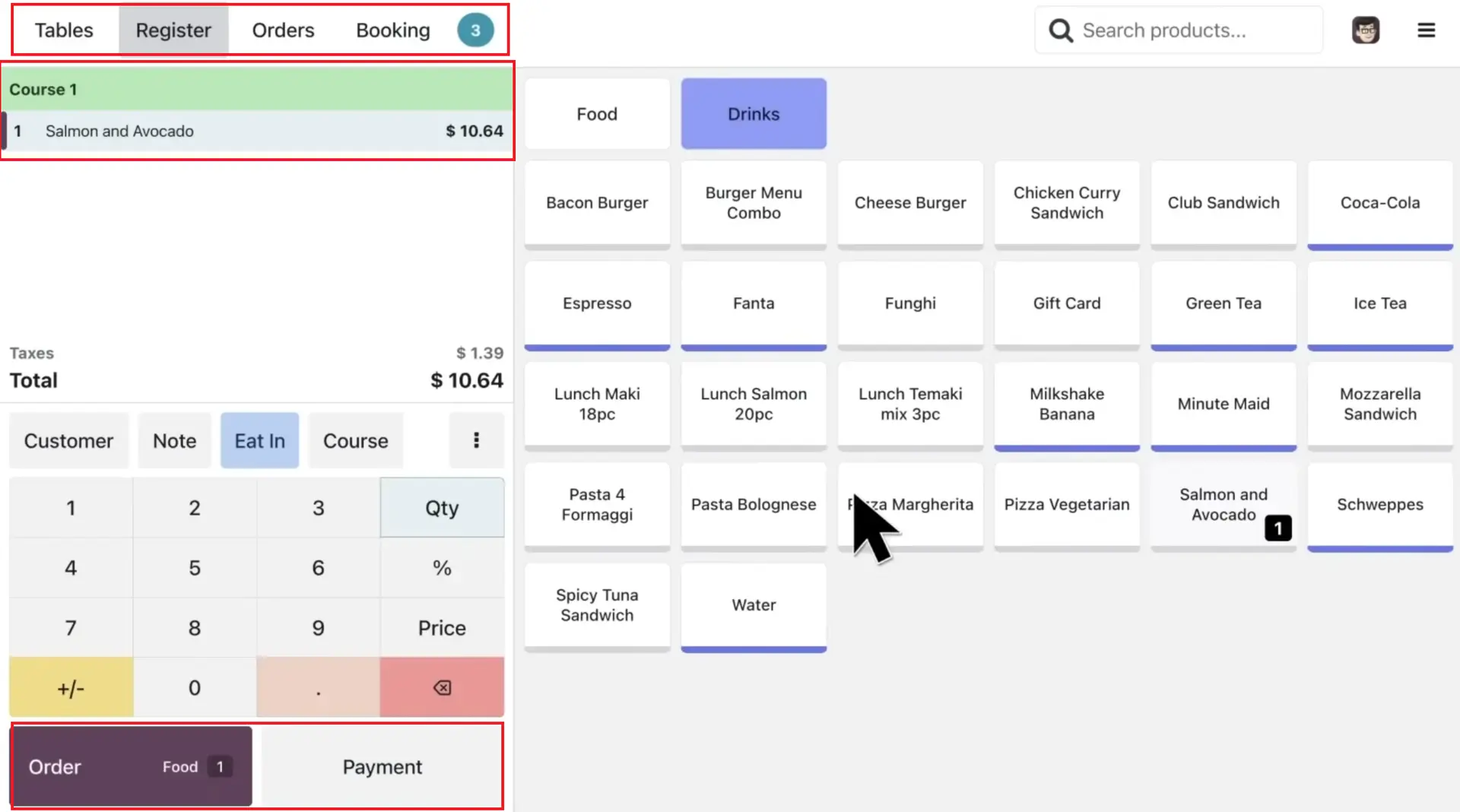
New workflow features:
- Course selection for starters vs mains.
- Kitchen Display System updates in real time.
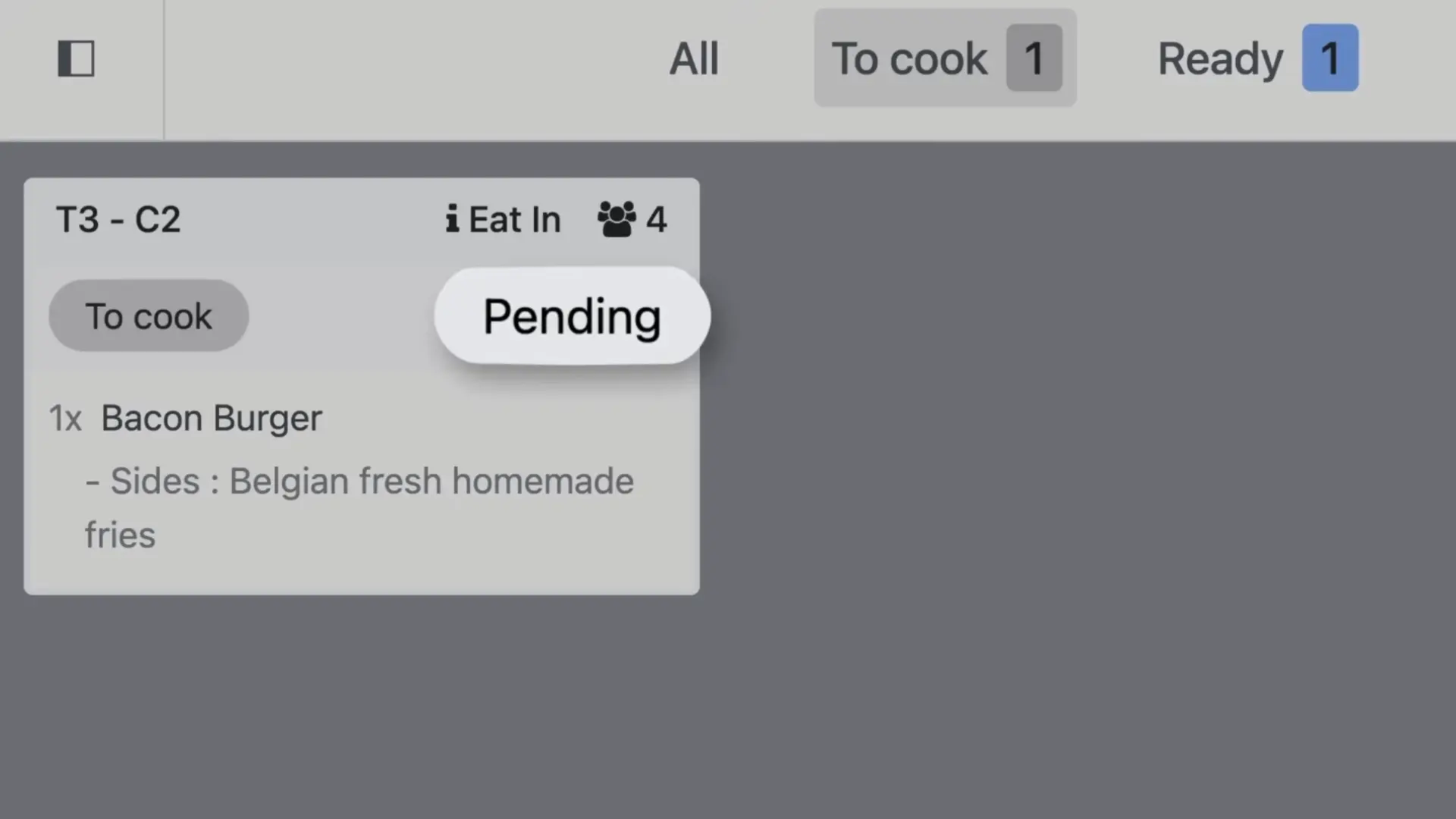
- “Fire course” triggers the next dish when guests are ready.
This allows restaurants to serve meals with perfect timing and ensures the kitchen is always in sync with the front-of-house team.
Delivery Integrations for a Multi-Platform World
Today, restaurants rely heavily on delivery platforms. Odoo 19 supports an extensive range of integrations, including:
- Deliveroo.
- Grubhub.
- Careem.
- Takeaway.com.
- And many more.
Orders flow directly into the POS, ensuring consistent product information and unified financial reporting — without manual entry.
Reservation & Waiting List Management
Managing reservations during busy hours can be challenging. Odoo 19 simplifies the process.
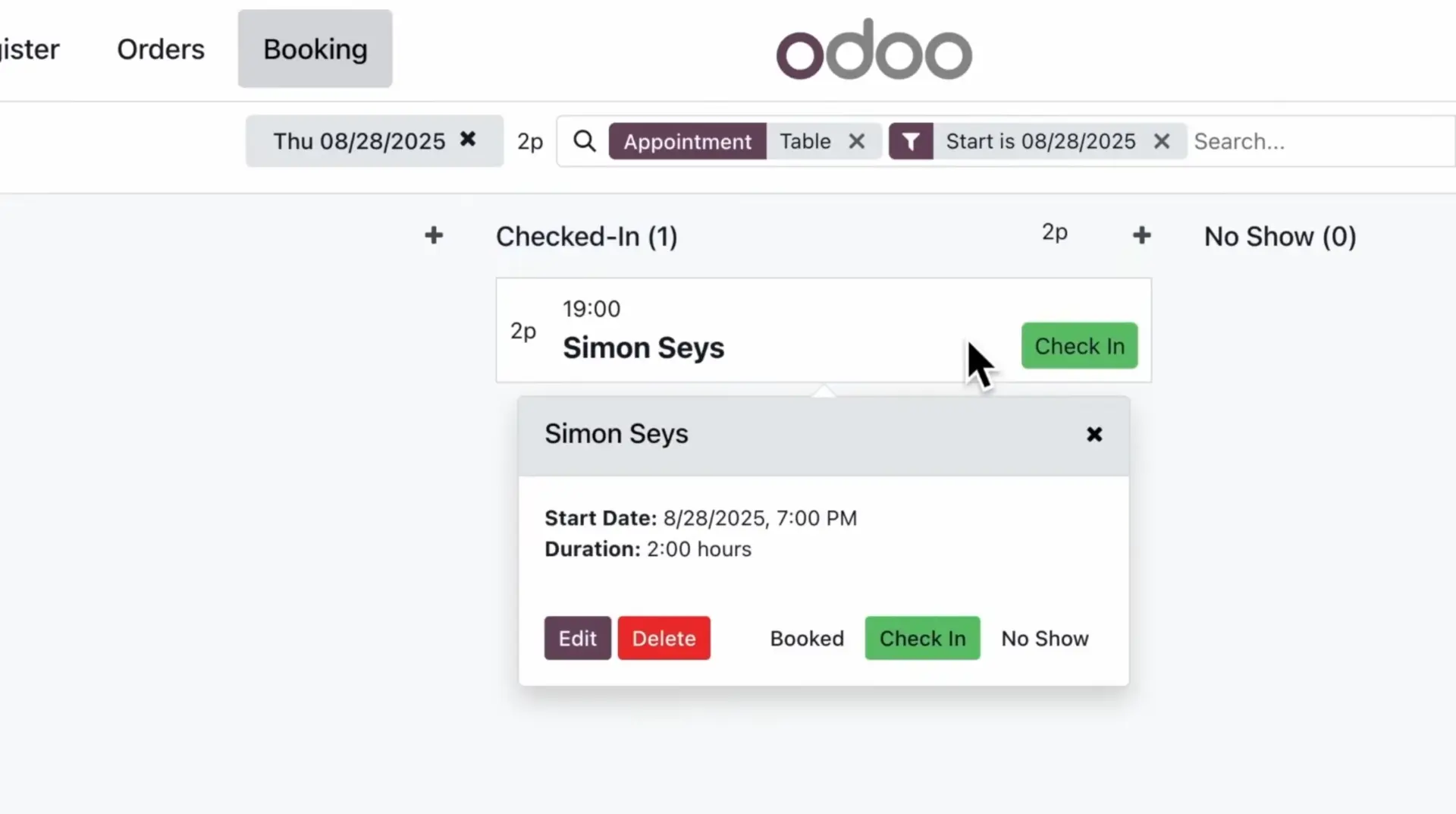
New capabilities:
- Phone reservations added in seconds.
- Automatic waiting list for upcoming time slots.
- Kanban status board for “Arrived”, “Waiting”, “Seated”.
- Drag-and-drop to assign customers to available tables.
This makes it easier to organize both planned visits and walk-in customers.
Retail POS: One-Click Checkout for High-Speed Sales
Retail environments benefit from Odoo 19’s simplified checkout experience.
Key improvements:
- One-click quick payment buttons.
- Faster barcode scanning.
- Clean, modern interface.
- Instant syncing with inventory.
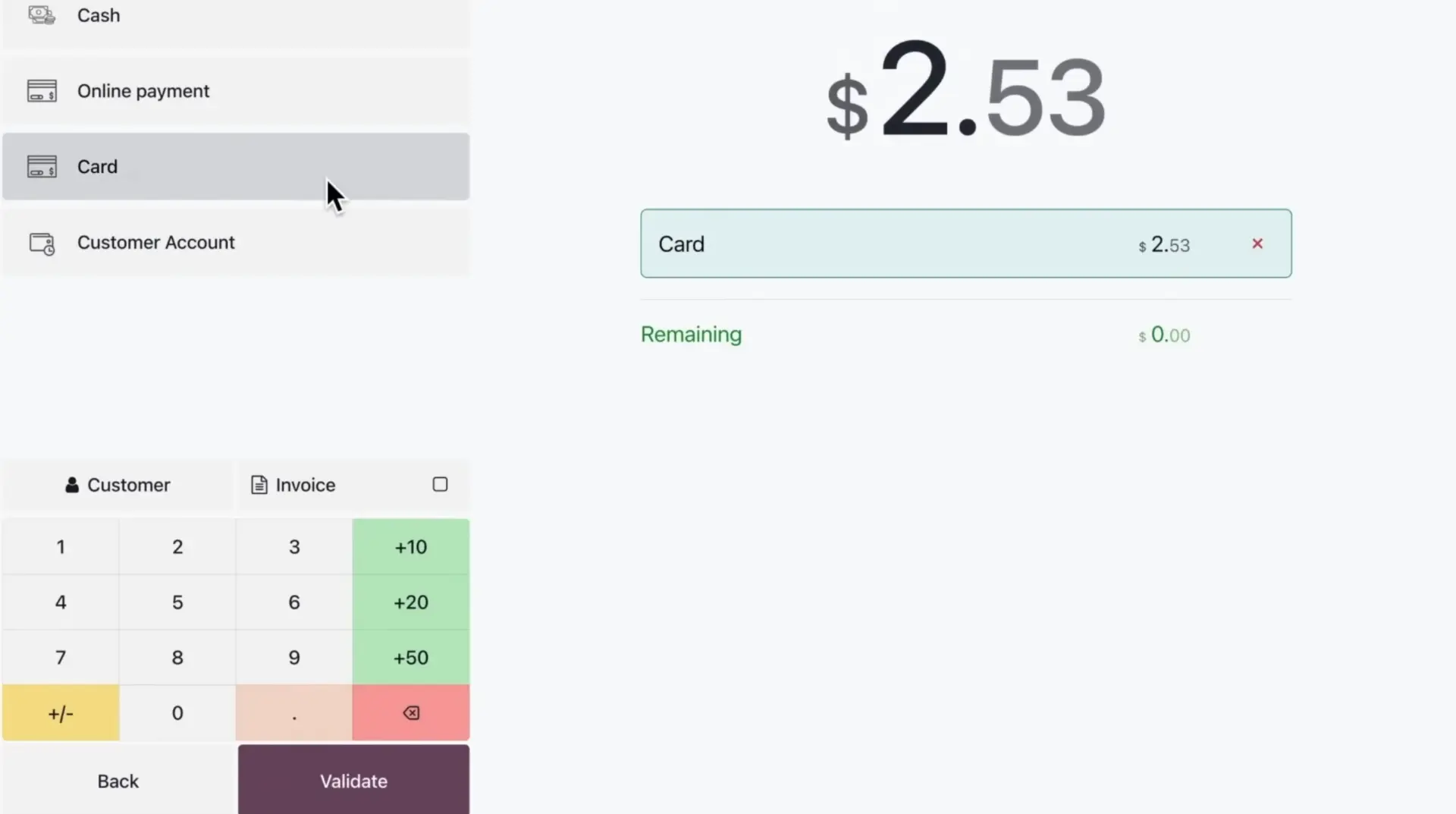
Perfect for stores with hybrid models — such as furniture shops that combine retail, showroom, and café operations.
POS Integrated Across the Odoo 19 Ecosystem
Odoo’s biggest strength has always been unification, and Odoo 19 enhances this even further.
POS is now deeply connected to:
- Inventory (real-time stock updates).
- Purchase (automated replenishment suggestions).
- eCommerce (unified product catalog).
- Accounting (accurate revenue and tax handling).
- CRM (customer profiles & purchase history).
- Kitchen Display (real-time order processing).
This means every sale — whether from QR, delivery, dine-in, or retail — flows into a single system.
The Business Impact: Why Odoo 19 POS Is a Game Changer
Restaurants and retailers upgrading to Odoo 19 benefit from:
- Faster service and reduced queues.
- Better customer experience.
- Lower operational costs.
- Less training required for new staff.
- Accurate orders and payments.
- A unified view of sales across all channels.
- Automation of repetitive tasks.
Odoo 19 turns POS into a strategic tool that increases efficiency and improves profitability.
Conclusion
Odoo 19 delivers one of its most impactful updates yet for restaurants, cafés, and retail businesses. With presets, QR menus, improved workflows, and deep integration, companies gain a modern, flexible, and scalable POS solution that supports true omnichannel operations.
Want to explore more features of Odoo 19?
Learn everything about implementation steps and pricing at: