
In today’s digital environment, successful project delivery requires more than planning tasks and tracking deadlines. It demands a fast, intelligent, and deeply connected workspace—one where teams collaborate effortlessly, information flows without friction, and routine work is automated rather than manually repeated.
With Odoo 19, project management enters a new era. AI becomes a standard part of daily operations, communication tools are fully integrated, and collaboration happens in real time. The result: smarter teams, faster execution, and projects that stay on track from initiation to delivery.
Below, we explore how Odoo 19 transforms project management through automation, intelligence, and seamless cross-department collaboration.
Intelligent Project Kickoff: Templates, Auto-Assignment & Structure
Launching a new project in Odoo 19 takes seconds—and requires almost no setup. Project managers simply select a template, adapt the title, and Odoo automatically generates the required task structure:
- Stages
- Tasks
- Assignees
- Dependencies (where relevant)
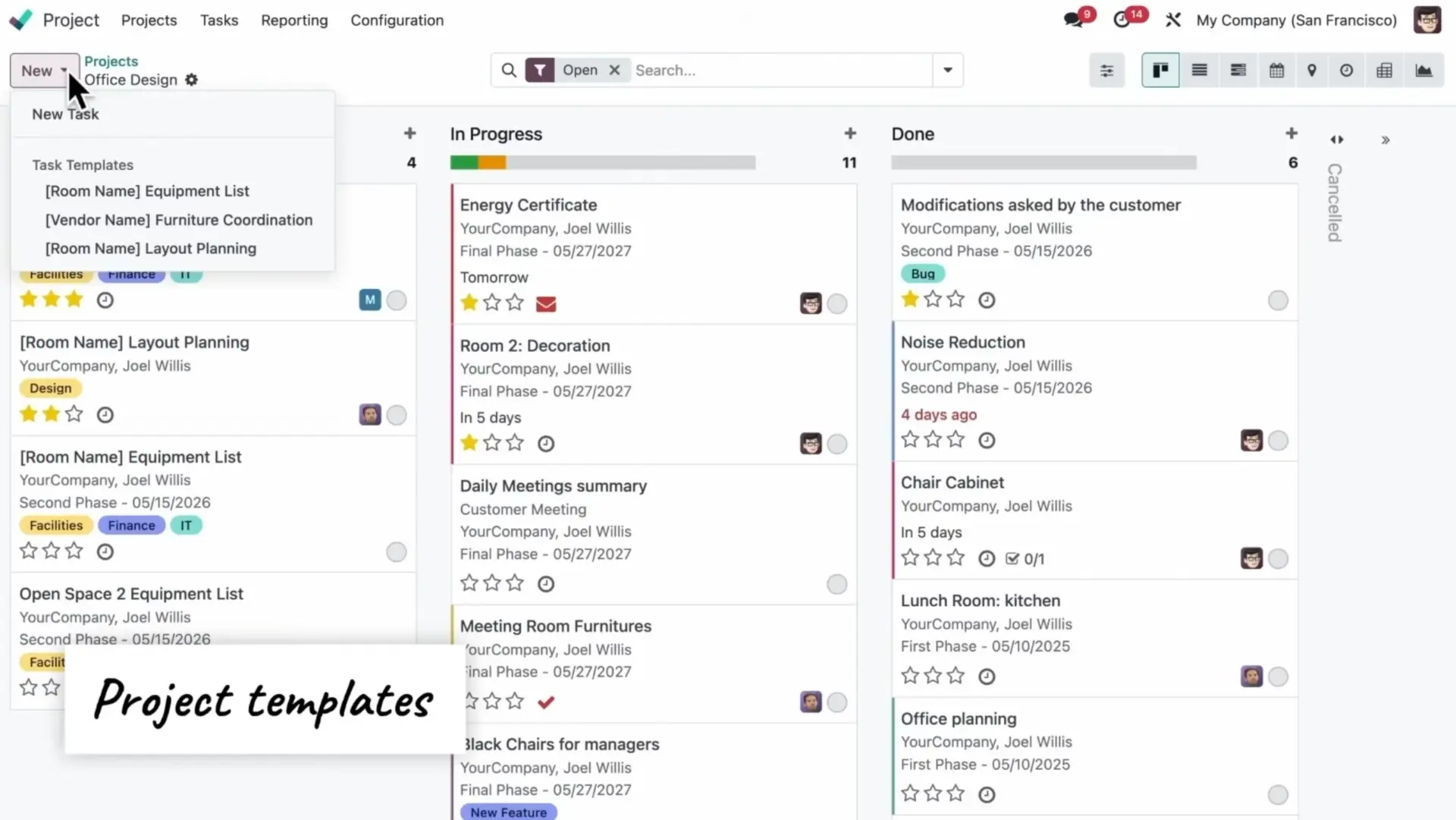
This ensures consistent project quality and eliminates the repetitive administrative work typically required at project start.
AI-Enhanced Setup
Odoo 19 helps refine workflows during creation, allowing teams to configure structure, automation rules, and responsibilities using natural language prompts rather than technical rules.
Automated Assignment with AI
One of the most powerful additions is Odoo’s AI Action Builder.
Users define:
- Trigger
- Field or action
- A natural-language prompt describing what should happen
Example:
Opportunities are automatically assigned to the right expert based on AI logic.
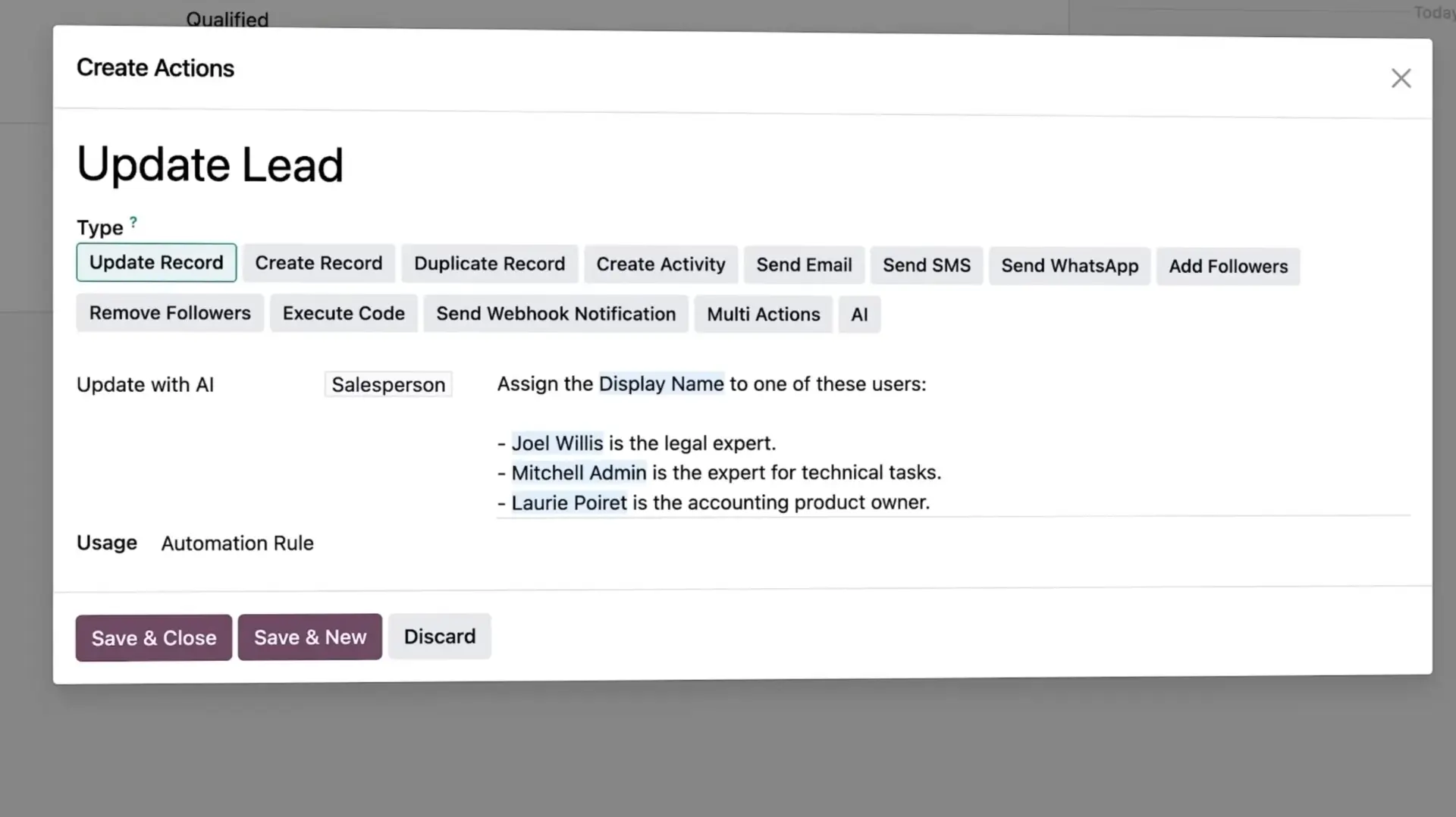
This logic applies to any process: project tasks, approvals, responsible users, notifications, or data updates. Manual routing becomes a thing of the past.
AI-Powered Workflow Automation: From Manual to Autonomous
Odoo 19 elevates workflow automation beyond traditional rule-based logic. Now, users can create automations simply by describing what they want.
Natural Language Rules
“Assign tasks with keyword X to the Y team.”
“Notify the project manager when a delivery is delayed.”
“Update stage when customer signs the contract.”
The system interprets the intent and builds the automation behind the scenes.
Cross-Application Impact
These automations work across all Odoo applications, enabling end-to-end flows:
- CRM to project handoff
- Procurement updates to task timelines
- Document categorization to project activities
- Accounting insights triggering project-related alerts
Automation becomes the operational backbone of the project environment.
Intuitive Planning & Scheduling
Odoo 19 introduces improved tools that make scheduling more intuitive and collaborative.
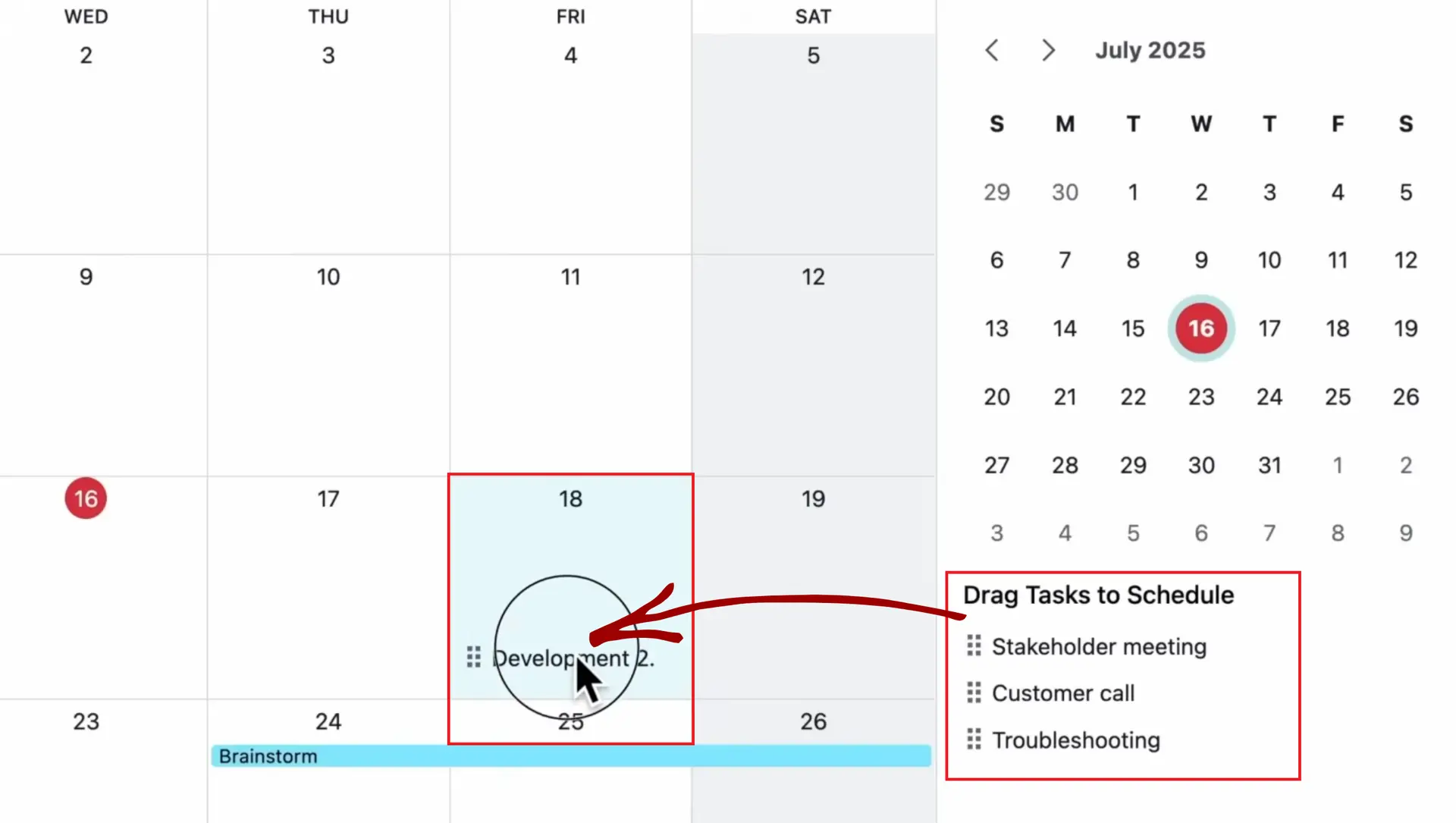
Calendar View for Projects
Unscheduled tasks appear directly in the calendar. Project managers can drag and drop tasks to the correct day, instantly updating the schedule and improving visibility across teams.
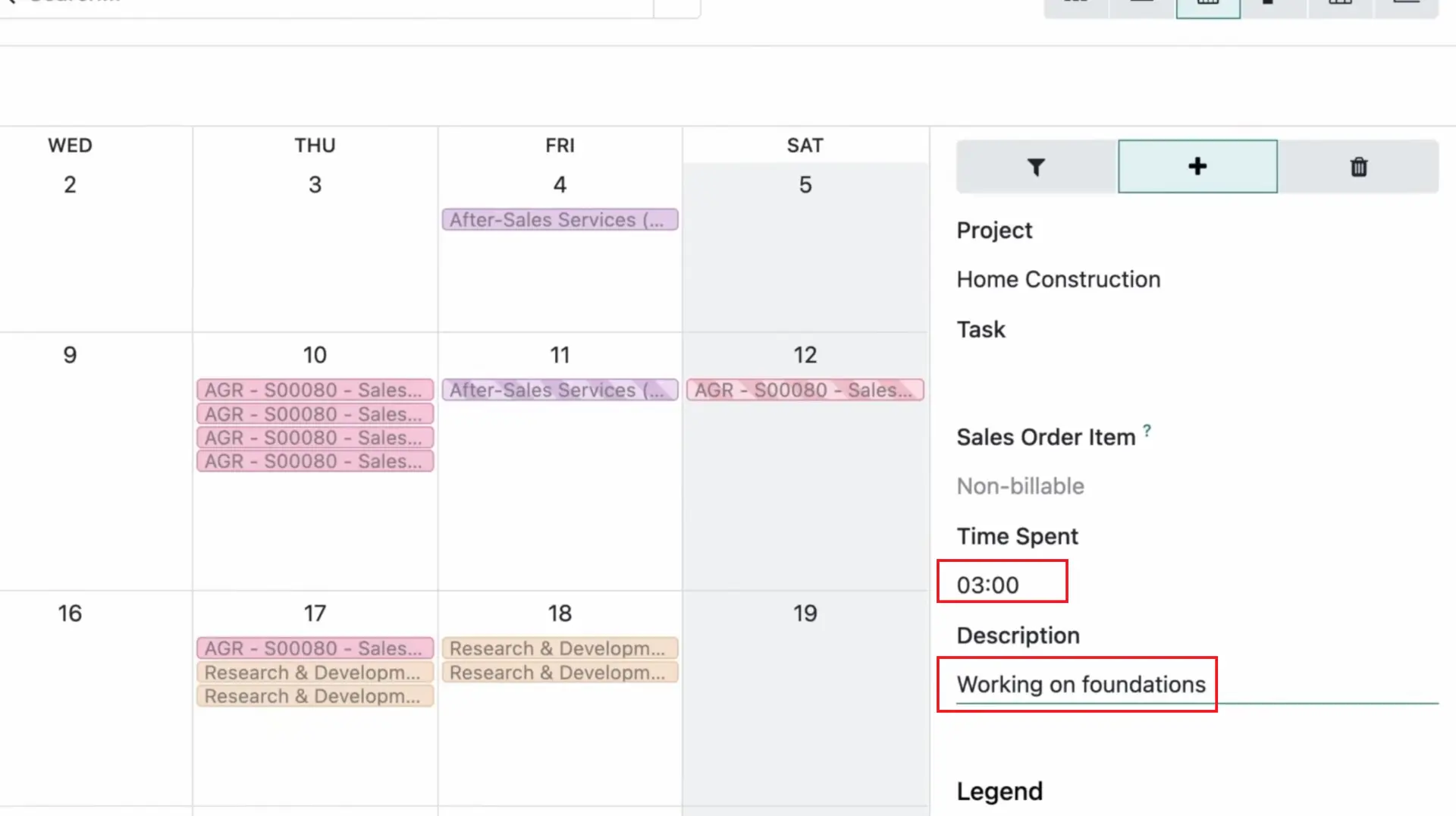
Faster Timesheet Logging
Team members can add multiple entries at once.
This:
- reduces administrative time
- ensures more accurate financial and project analytics data
Collaboration Reimagined: Communication, Calls & Knowledge Sharing
In Odoo 19, collaboration is continuous and context-aware.
Contextual Messaging with Groups
Teams can now tag individuals or entire groups (e.g., @AccountingGroup) directly in task discussions, ensuring quick responses even when specific individuals are unavailable.
A New VoIP Experience
The redesigned VoIP interface includes:
- Recent calls and quick actions
- Contact suggestions
- Call transfer and hold options
It seamlessly integrates communication into the project workflow.
Real-Time AI Meeting Companion
Odoo 19 listens, transcribes, translates, and summarizes calls automatically. This is particularly valuable for:
- Handover meetings
- Technical discussions
- Requirements gathering
- Cross-department coordination
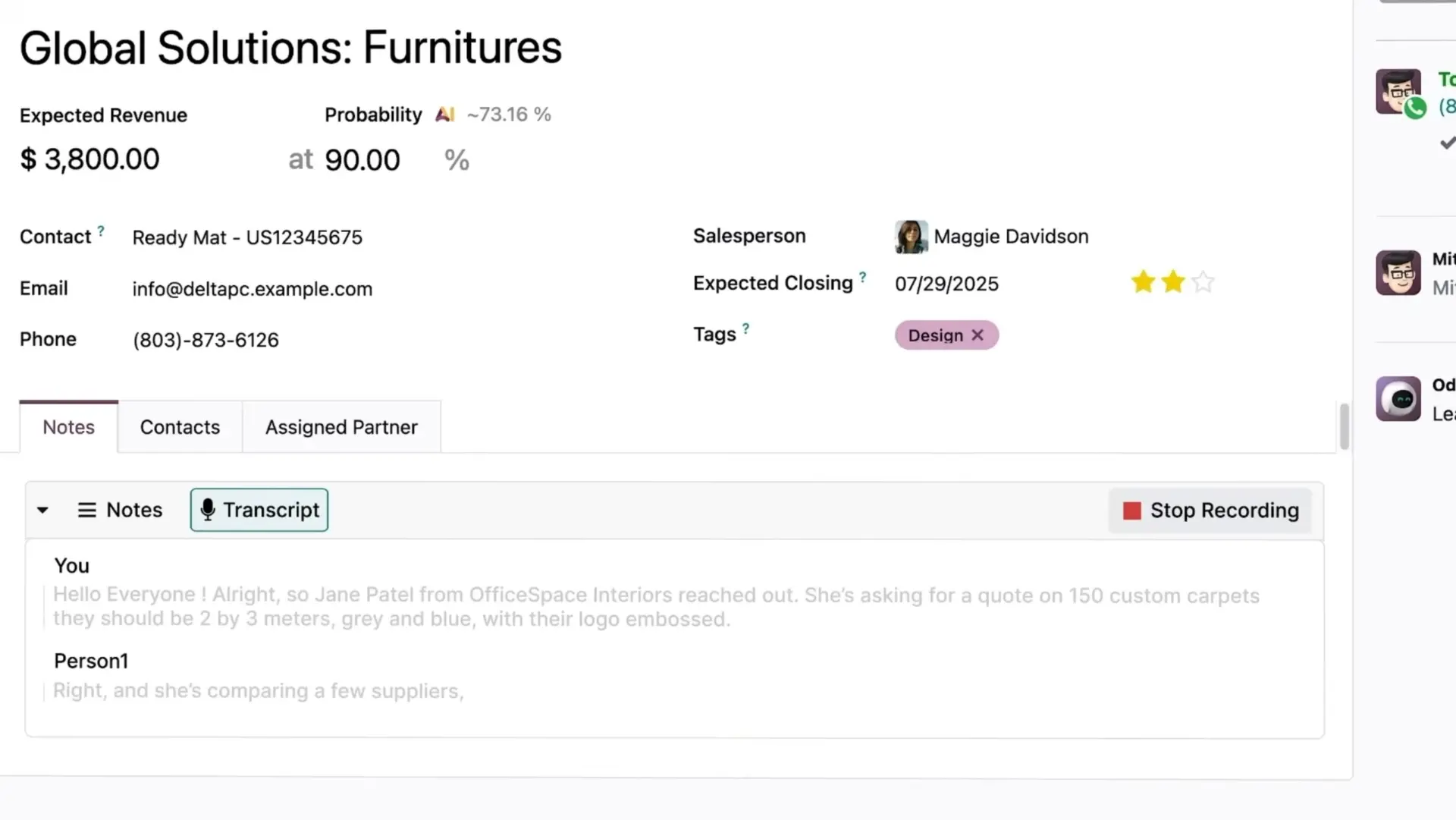
Every conversation becomes instantly documented and searchable.
AI Document Management for Project Teams
Document management is essential to project success. Odoo 19 introduces AI-driven tools that eliminate manual sorting and classification.
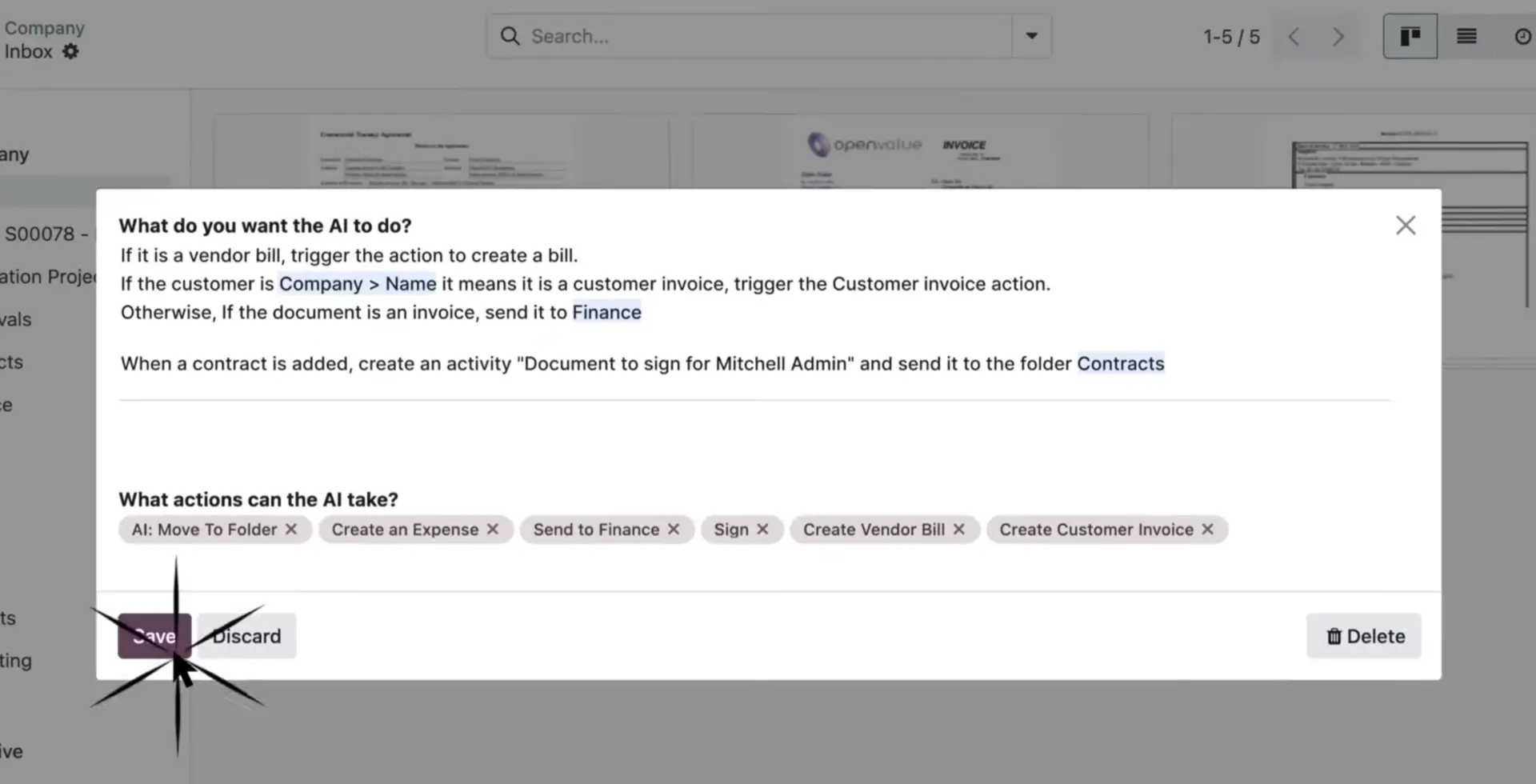
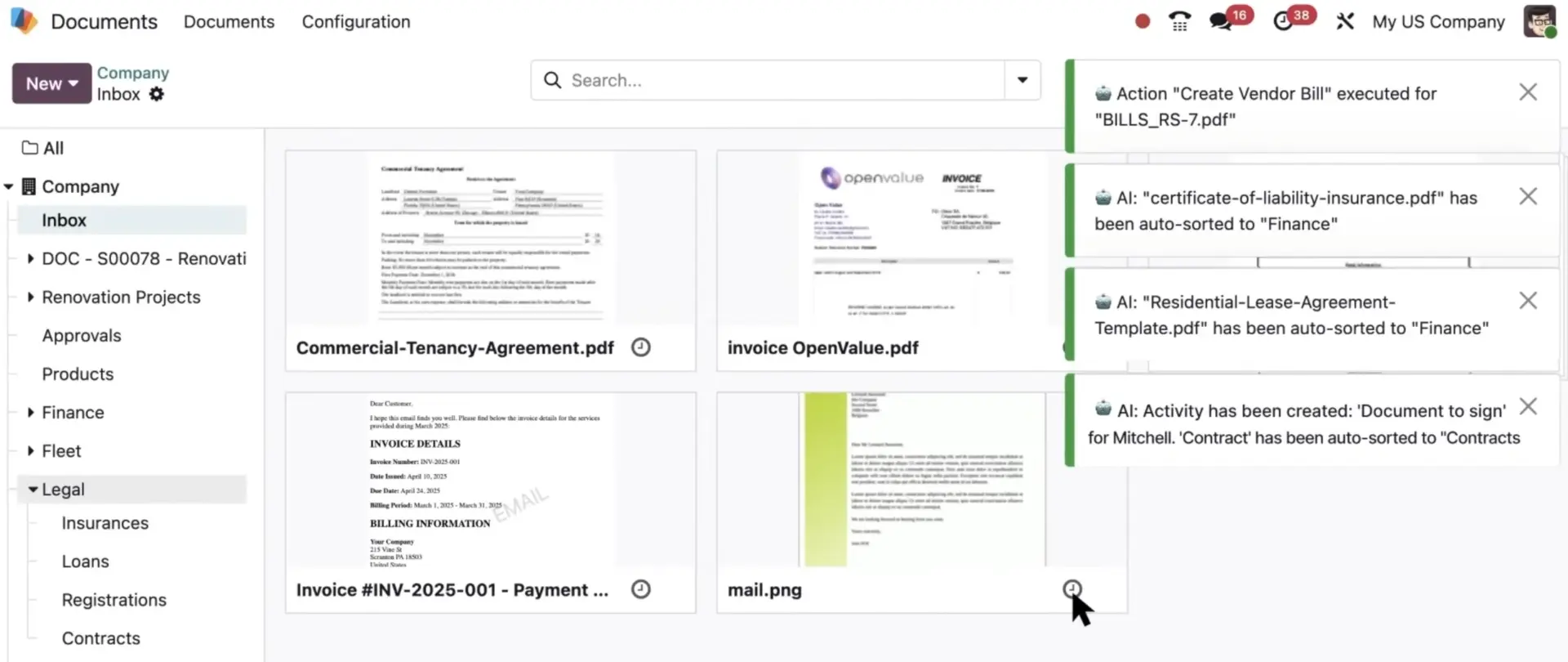
Automatic Document Sorting
Users define sorting rules with a simple prompt, such as:
“Contracts → Contracts folder; Insurance → Insurance folder.”
Odoo does the rest automatically.
Instant Conversion & Preview
Emails containing receipts or invoices are automatically converted into PDFs.
Odoo 19 supports previews for many file types—HTML, XML, TXT, PDF—making document review fast and reliable.
Unified Access Across Odoo
Documents can be attached anywhere via the slash command, ensuring project teams always have immediate access to the right files.
Risk, Compliance & Reporting: Project Teams Stay in Control
While project managers focus on delivery, Odoo 19 ensures financial compliance, reporting accuracy, and audit readiness.
New Audit Report Builder
Generate complete audit reports in minutes, including:
- Legal texts
- Accounting reports
- Annexes
- Electronic signature fields
Teams can sign in multiple places and add annexes or supplementary documents as needed.
Improved Reconciliation Experience
The redesigned reconciliation menu helps even non-accountants resolve transactions with confidence, using:
- AI suggestions
- Clear tooltips
- Review requests sent directly to finance teams
Tax Compliance Dashboard
The new menu displays:
- required filings
- deadlines
- status
- localized regulatory requirements
Enterprise Knowledge with AI Agents
Odoo 19 introduces an internal AI consultant that answers operational questions based on authorized company documentation.
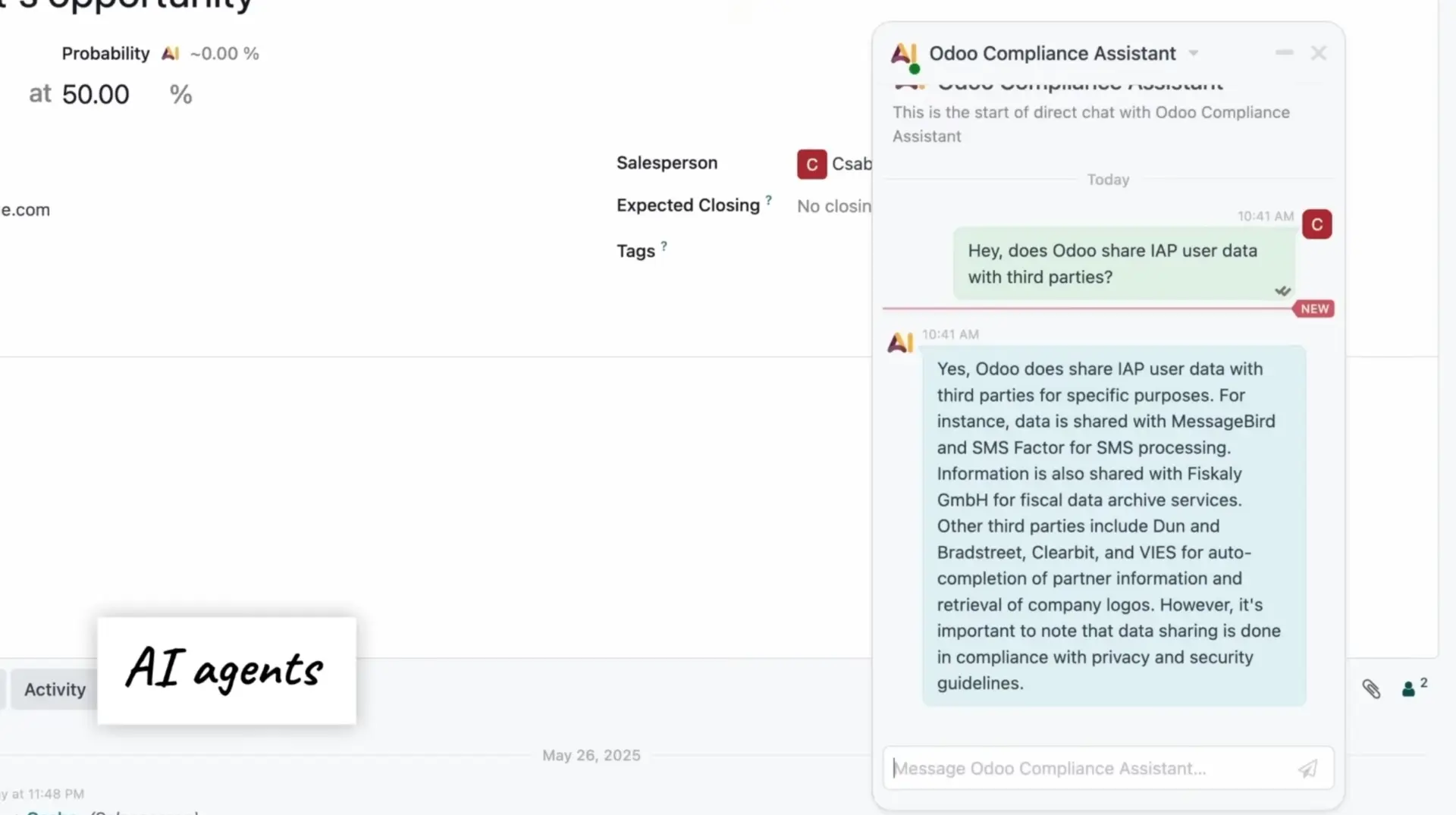
AI Knowledge Assistant
Teams can ask questions about:
- Regulations
- Security guidelines
- Project documentation
- Internal procedures
AI responds with accurate, source-based information.
AI-Triggered Actions
Beyond answering questions, the AI agent can:
- Schedule meetings
- Create tasks
- Trigger workflows
This transitions Odoo from a management system to an intelligent operational assistant.
Operational Touchpoints Enhancing Project Delivery
Although the focus is project management, Odoo 19’s tight integration with operational apps ensures smooth execution.
CRM Integration
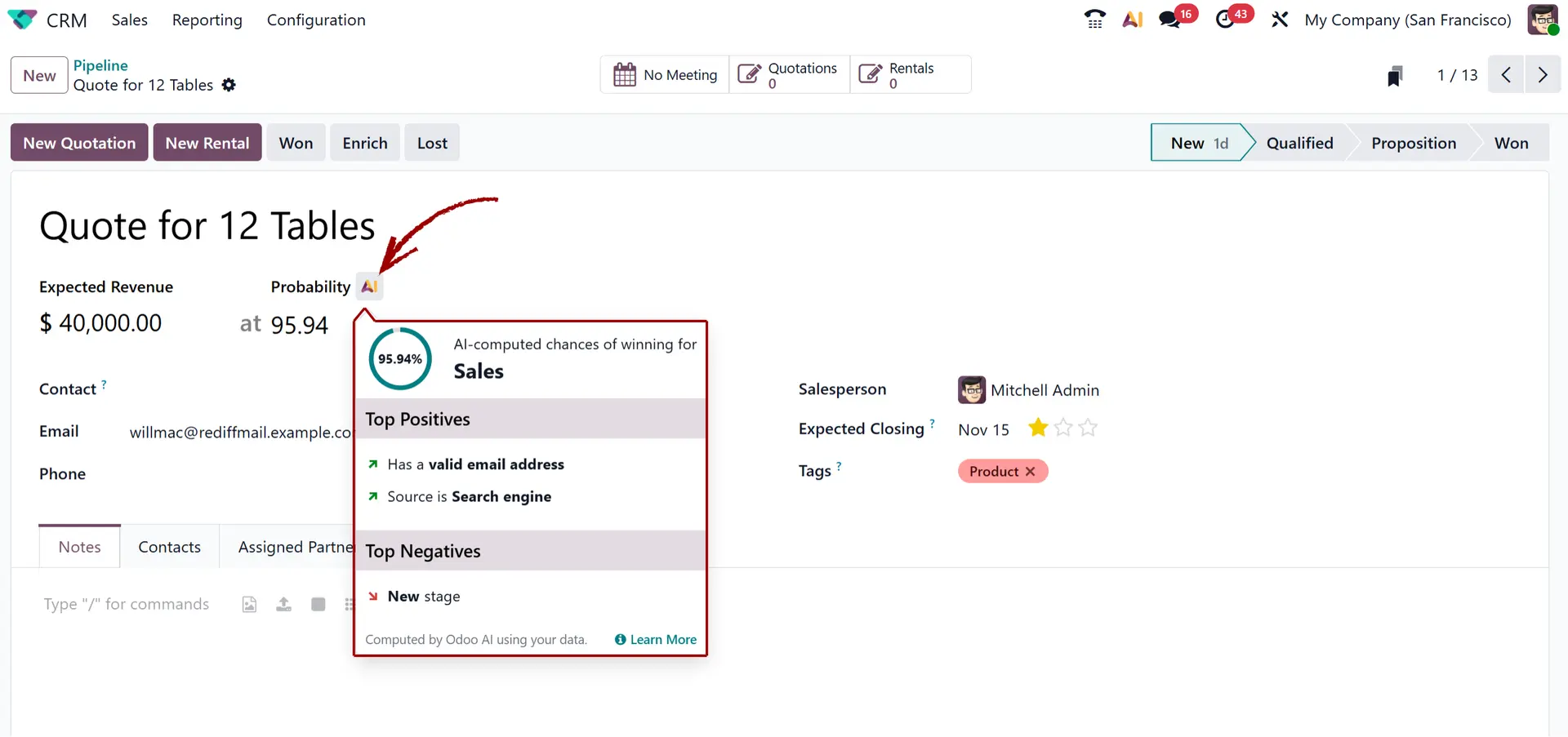
AI evaluates lead quality, corrects data issues, and generates summaries—ensuring a clean, complete handoff from sales to project teams.
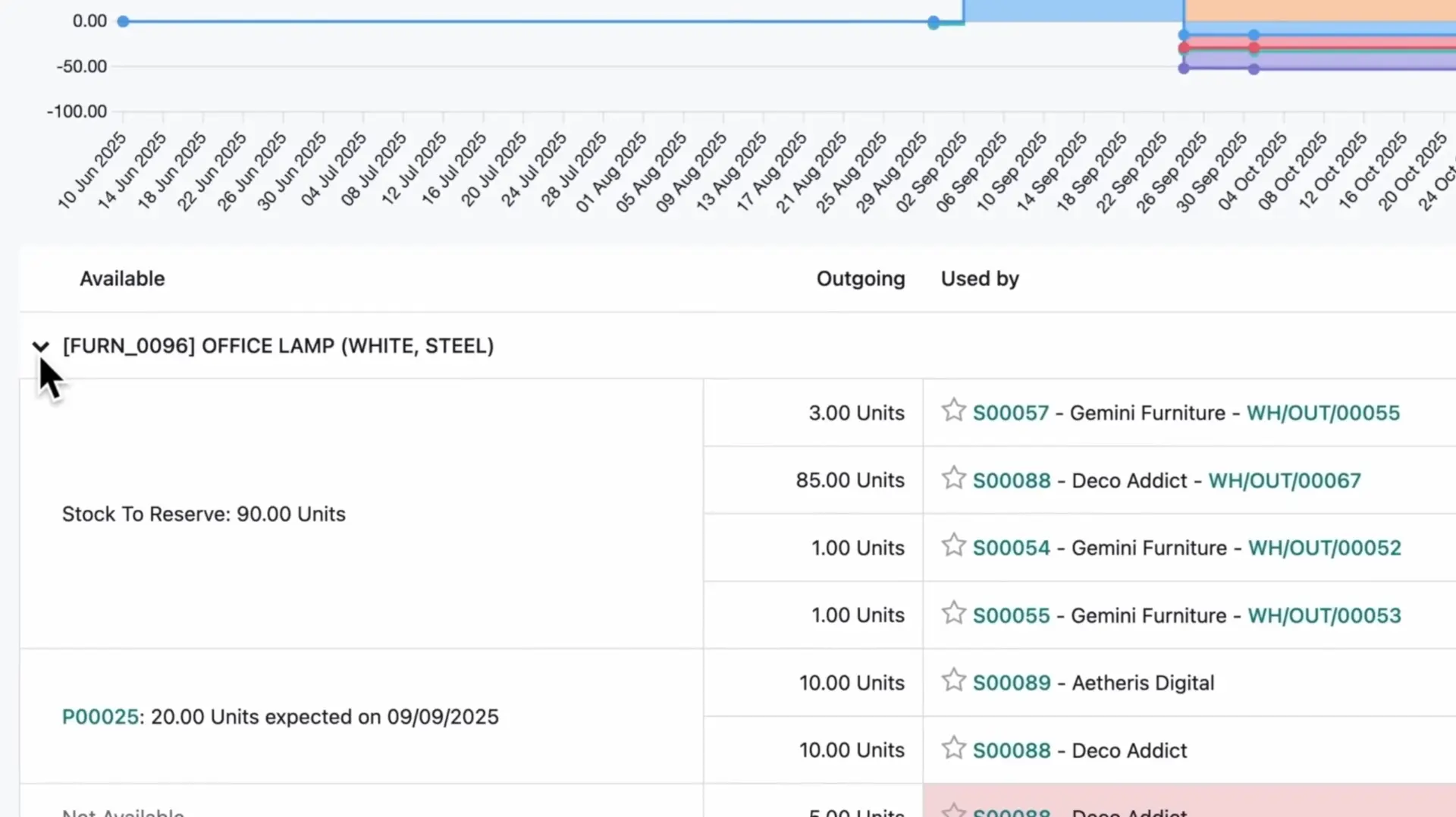
Inventory and procurement data
The redesigned forecast report helps to:
- plan materials
- avoid delays
- adjust tasks in a timely manner
Conclusion: Odoo 19 Builds Smarter, High-Performance Project Organizations
Odoo 19 is not just an improved project management tool. It is a qualitative step forward toward an automated, AI-driven, and unified work environment.
- AI reduces manual work
- Communication becomes structured
- Documents and processes are organized automatically
- Teams work faster and more accurately
Odoo 19 helps organizations deliver results faster, collaborate more effectively, and focus on strategically important tasks.